


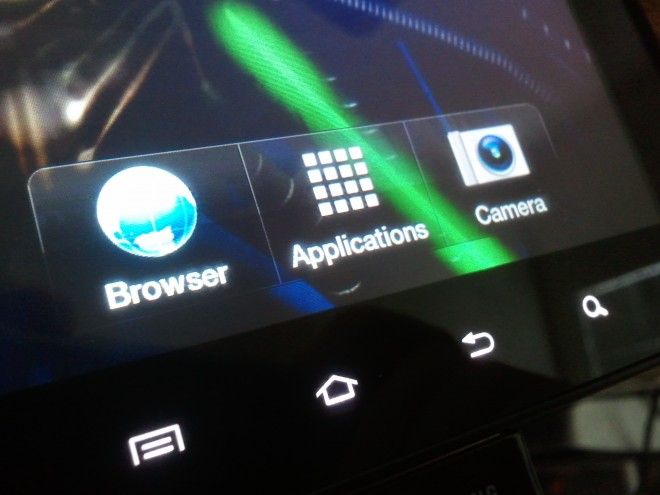
Hardware
The first thing you’ll probably notice about the Tab is the size. Not as big as an iPad or Xoom, but considerably larger than a phone, the tablet tries to strike some strange middle ground. It was something I was initially optimistic about, but then not so much. For one thing, the device is heavier than I expected, making extended periods holding it sort of a pain. Another big problem is the glossy white backing that allows the Tab to slide right out of your hands. It was hardly ideal for reading as various corners kept slipping away. On the plus side, battery life held up fine, although even on Wi-fi, standby time was only about two days.
On the front face, you’ll find the four standard capacitive buttons (List, Home, Back, Search) common to Android devices. Aside from those, the Tab only has three hardware buttons: Power and a volume rocker. Oh, and you can insert your own MicroSD card in addition to the 16 or 32GB on-board flash memory.
 The tablet connects via proprietary wide-connector USB, much like iOS and Zune devices do. The port is flanked by the speakers, which do well, producing decent sound, but were often unintentionally blocked when resting the bottom of the tablet against my stomach. (The speaker on the S points outward, avoiding a lot of that malarkey.)

The top left corner supports the obligatory headphone jack and a microphone for when you’re doing video calls. Despite the inclusion of a front-facing camera, there didn’t seem to be any apps that actually used it, aside from the camera. The included Qik app said it was unavailable and Skype wouldn’t work with it (or my S) either. Hrm.

 Cameras
The Tab feature the aforementioned 1.3MP front-facing camera, but also a 3MP shooter on the back. There really aren’t any tablets with drool-worthy cameras, but both work well in decent lighting. They come with Samsung’s standard suite of camera tools that I enjoy. These are probably the Tab’s best feature. One aspect that got me was the fact that the camera app is locked into Landscape, but the image preview was locked into Portrait. Guh? Also, the lack of a dedicated shutter button is a bummer.
The following pic was taken with the 3MP shooter.

Screen
Perhaps because of issues with SAMOLED production last year, the Tab loses a major point against the S in only having a TFT-based LCD. While I enjoyed the size and pixel density here (although not as high as on other devices), the uniform whitewash over the screen, much like we saw on the Arrive, and lack of ‘pop’ in the colors is a drawback. With even ISP displays in the mix, TFTs looks relatively old school and it’s a shame Samsung went with them for this. To their credit, they were probably available much more easily.
Oh God: How sluggish it is
One of the biggest problems with the Tab (aside from its taste in typefaces, and layout, and…) is simply how slow the thing operates. It’s using essentially the same guts as the S phones, so performance here oscillates between ‘okay’ and ‘bad’. Scrolling between home pages and through the browser is laggy, apps gag as they’re forced to actually work, but the worst offender is the pull-down system drawer that chunks into individual frames as it’s drawn on the screen. This is the exact opposite of the experience one gets from the iPad, which is swift – liquid even – in virtually every facet. Even if you’re an Android fanboy, you can’t help but salivate over how optimized Apple’s tablet is and how off-the-shelf the Tab feels.
Conclusion
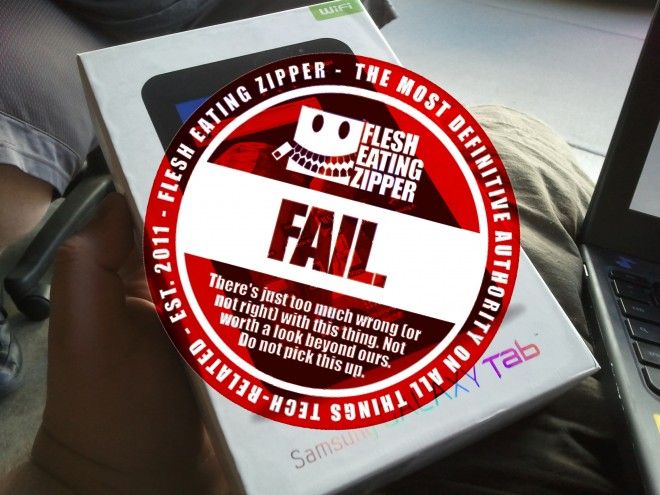
Don’t buy the 7″ Galaxy Tab. It was an evolutionary dead end before it even released, long before Google developed Honeycomb specifically for this situation. Everything about the device feels awkward, from the hardware’s literal lack of tactility to the implementation of Android. The Tab even includes a link to Samsung’s off-shoot app market that only works if you tweak some broad application settings. The size might’ve been interesting if they’d done something compelling with it, but they didn’t. The good news is that this year’s Tab models are actually equipped with Honeycomb and better hardware, so with this thing still going for $250-$350 (subsidized 3G and unsubsidized Wi-fi models respectively) around the market, it’s not worth your time or money. If you need Android, get a newer Tab or a Xoom, otherwise just get an iPad.
Or, y’know, wait.


Don't Keep This a
Secret, Share It